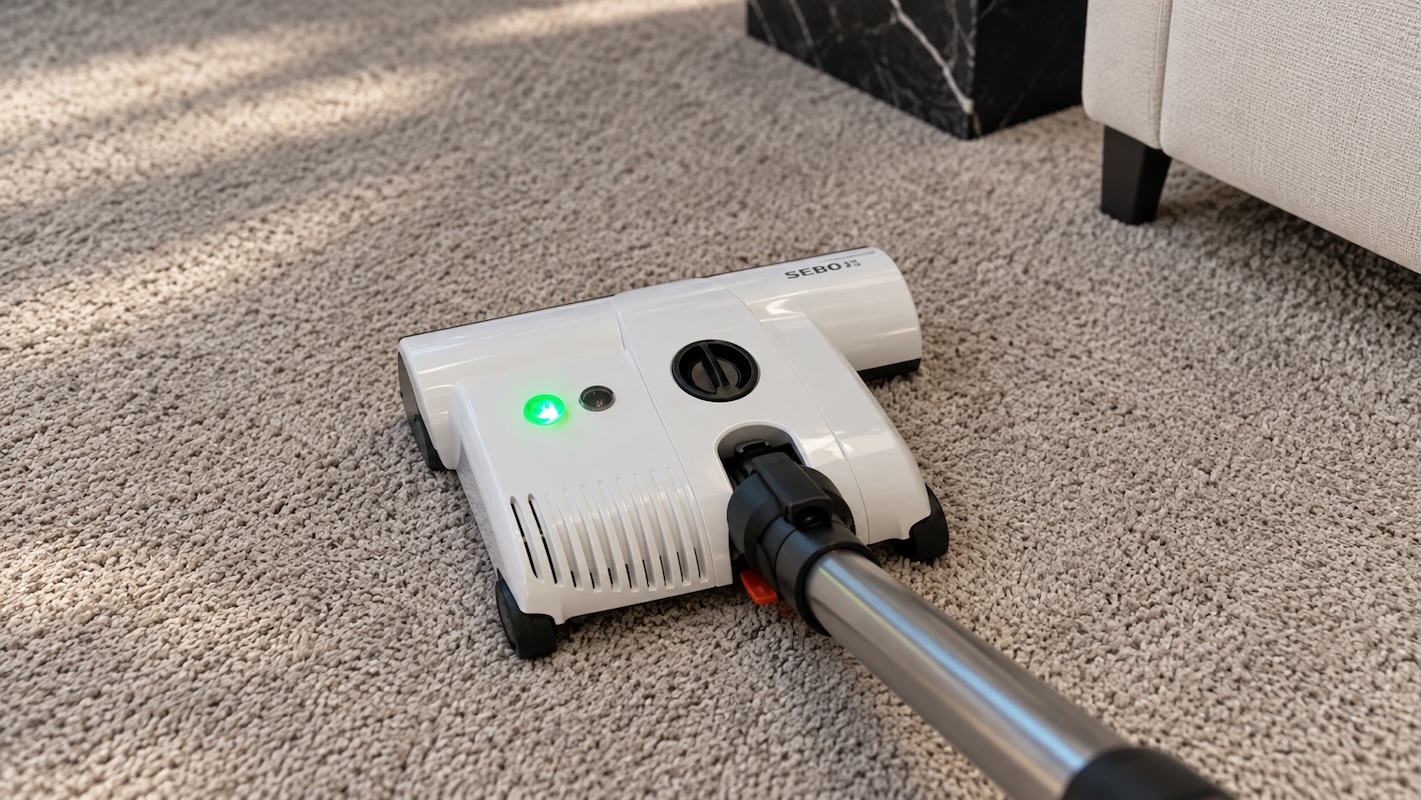
SEBO vacuums are good communicators. A few small lights on the power head let the vacuum tell you when the bag is ready to change, when something’s caught in the brush roller, or when the roller has finally earned its retirement. On many models, the vacuum will also switch itself off until the fix is made, which is how a SEBO looks after its motor, the belt that drives the brush roller, and your carpet.
Each model family has its own set of signals. Across all of the SEBO vacuum cleaner models, the Automatic X uprights carry four lights on the power head, the Felix, Dart and ET-1 power heads use one red brush light and an on/off light, and the Airbelt canisters show airflow warnings on the canister body.
SEBO red light and orange light warnings almost all come back to 3 things: the bag, a clog, or the brush roller. And many of them will clear with a new replacement bag, a fresh replacement filter, or a cleared clog. SEBO’s manuals recommend turning the switch off and unplugging it first, and this is good advice to try before anything else. (On the Automatic X, 300/350 Mechanical and Airbelt models, switching off also resets the thermal protector, which is a heat switch that cuts power when the motor runs too hot, and the vacuum is ready to clean again once it has had a little time to cool.)
SEBO Lights by Model
On SEBO uprights, the same red light can mean two different things depending on whether it’s steady or flashing. The table lists each pattern SEBO describes in its U.S. owner’s manuals, grouped by model family.
| What you see | Model family | What it means |
|---|---|---|
| Red brush light flashes fast and the vacuum shuts off | Automatic X | Something is jammed in the brush roller |
| Red brush light stays on while vacuuming | Automatic X | The brush roller is worn |
| Red brush light flashes slowly with the motor running | Automatic X | Handle locked upright with the brush touching carpet |
| Red bag light comes on, then the vacuum shuts off | Automatic X, Essential G | Full bag, clog, or dirty microfilter |
| Green up or down light | Automatic X | The power head is adjusting its height |
| Red brush light steady at any knob setting | Essential G | Brush height is set wrong for the floor |
| Red brush light steady | Felix, Dart, ET-1 power head | Height dial set too high, or the brush is worn |
| Red brush light flashing | Felix, Dart, ET-1 power head | The brush is blocked |
| Orange or amber bag indicator | Felix, Dart, 300/350, Airbelt | Airflow is restricted by a full bag, clog, or dirty filter |
| Code E1 through E9 on the display | Balance A1 | A fault code that names the problem |
Automatic X4, X7 and X8 Lights
SEBO’s Automatic X uprights set their own brush height, and the four lights on the power head report on that system. Two green lights cover height adjustment. Two red lights cover the brush roller and airflow, and on the X7 and X8 they’re labeled CHECK BRUSH and CHECK BAG.1
The X4, X4 Boost, X7 Premium, X7 Premium Pet and X8 use the same display and the same light patterns, so everything in this section applies to all of them.1, 2
Green Up and Down Lights
A green light means the power head is raising or lowering the brush to suit the floor, and SEBO’s manual says cleaning is at its best once both lights are off. On uneven floors, the lights can flicker as the head keeps adjusting, and the troubleshooting guide lists no action for that.
The X4 Boost, X7 Premium and X7 Premium Pet have one more green light, inside the Boost button, which SEBO also calls the brush-mode button. It shows that the deeper brush setting is on. Boost switches off every time the vacuum does, so it has to be pressed again after each restart.1, 2
Red Check Brush Light
This light has three patterns, and each one has a different cause.
Steady red while vacuuming means the bristles have worn down far enough to reduce cleaning. The light comes on after a 10-second delay and stays on until the roller is replaced. The vacuum keeps running in the meantime.
Fast flashing with the vacuum shut off means something is jammed in the brush roller. The roller stops at once to protect the belt and motor. If the vacuum is restarted before the jam is cleared, it shuts off again within 3 seconds.
Slow flashing with the motor running means the handle is locked upright while the brush is still in contact with carpet, which can mark the pile. Moving the vacuum clears it.
Brush rollers on the Automatic X come out without tools. Press the brush roller release button, remove the side plate, give the roller a quarter turn and slide it out.1 Edison carries SEBO 12-inch brush rollers and 15-inch brush rollers, and the vacuum’s model number confirms which one fits.
Red Check Bag Light
A red bag light means airflow through the machine has dropped. SEBO lists three causes: a full bag, a clog somewhere in the air path, or an excessively dirty microfilter, which is the filter between the bag and the motor.1
If the light is left on for about 30 seconds, the vacuum shuts itself off and the light starts flashing. Restarting without fixing the cause brings the light back, and the vacuum shuts off again after another 30 seconds. The cycle keeps the motor from overheating.
When the bag was the problem, a fresh set of SEBO X and G bags clears the warning. When the light stays on with a new bag in place, the cause is somewhere else in the air path or at the microfilter.
On an Automatic X, restarting before the cause is cleared brings the same shutoff back: within 3 seconds for a brush jam, and after about 30 seconds for a bag or clog warning.
Essential G4, G5 and 300/350 Mechanical Warning Lights
These uprights use a manual height knob with four settings, from 1, the lowest, to 4, the highest. Because the height is set by hand, the brush light also tells you whether the knob is in the right place.
SEBO’s instructions for both lines start the knob at setting 4 and work down from there.3, 4
Essential G4 and G5
The G-series display has two red lights, one for the bag and one for the brush. The bag light works the same way it does on the Automatic X. A steady light means change the bag or clear a clog, and if it stays on for about 30 seconds, the vacuum shuts off and the light flashes.3
The brush light is tied to the knob, so it has more patterns:
- Steady at any setting from 1 to 4: the brush height is wrong for the floor. Turn the knob up or down until the light goes out.
- Flashing at setting 1: the brush roller is worn and due for replacement.
- Flashing with the motor off: the brush is jammed. If nothing is caught in it, the brush is set too low for the surface and needs to go up a setting.
300 and 350 Mechanical
The 300 and 350 Mechanical show their warnings in orange. A window on top of the bag housing changes from white to orange as airflow drops.
Once the orange reaches the right side of the window, SEBO says to switch off and check for a full bag or a clog. If it stays orange with a new bag installed, the cause is a clog.4
An orange CHECK BRUSH indicator appears when the brush is jammed or overloaded, and the power head shuts off to protect the belt and motor. Clearing the jam gets it running again, and so does raising the brush if it was set too low for the floor.
Felix, Dart and ET-1 Power Head Lights
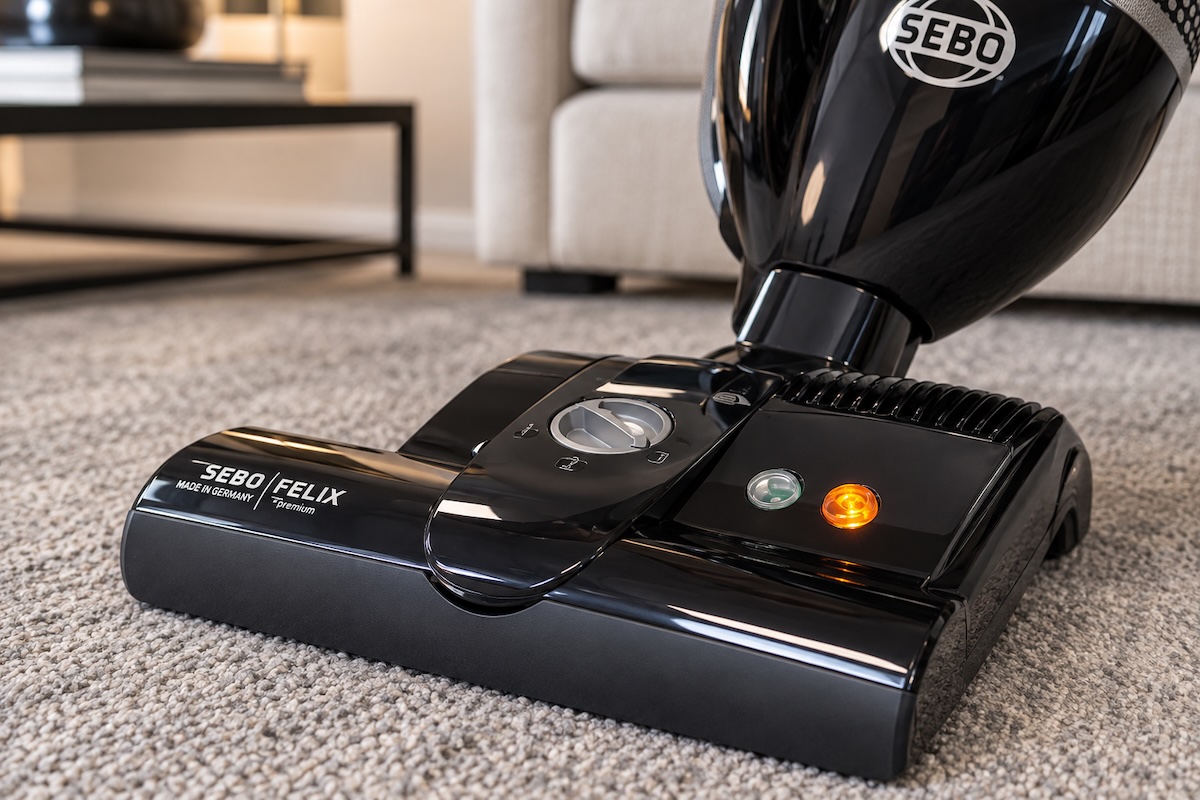
The Felix uses SEBO’s ET-1 electric power head, the same head that comes with the Airbelt E3 Premium, K3 Premium and D4 Premium canisters.5 The Dart’s power head uses the same brush lights, so one set of explanations covers all of them.
These heads have a manual height dial with four settings: 4 for high carpet, stepping down to 1 for bare floors. The red light is the guide for where to set it.5, 6
Brush Light Colors
- Green: the brush is on and spinning.
- Yellow: the brush is switched off and the vacuum is running on straight suction, with the brush roller stopped. On ET-1 heads without a foot switch, no light shows in this state.
- Steady red: the brush isn’t fully engaged in the carpet. Turn the dial down one number at a time until the light goes out. If it stays on at setting 1, the roller is worn.
- Flashing red: the brush is blocked. Turn the vacuum off, unplug it and clear the roller.
A flashing red light can also come from very deep, loose shag carpet. SEBO’s ET-1 manual treats that as an overload and recommends a different attachment for that kind of pile.6
The brush also stops by design when the handle is locked upright, and on an ET-1 the on/off light shows yellow in that position. The Felix adds one more automatic stop, shutting the brush off when the hose is pulled out for above-floor cleaning.5 The Dart doesn’t have that hose shutoff.7
Orange Bag Window on the Felix and Dart
The Felix and Dart use an indicator window on the bag housing lid for airflow warnings. It fills with orange when a full bag, a clog or a dirty microfilter restricts airflow.
At the same time, a bypass valve opens to let extra air reach the motor and keep it cool. SEBO notes that airflow is reduced whenever the window shows orange.5, 7
A new SEBO Felix bag is the first fix to try. If suction is still weak with a fresh bag and no clog, the Felix manual points to a dirty exhaust filter, and Edison carries replacement Felix filters.
Airbelt Canister Warning Lights
SEBO’s Airbelt canisters signal airflow problems on the canister body, and each series does it a little differently. Power head warnings on the E3, K3 and D4 come from the ET-1 head and follow the colors in the section above.
On the E and K series, SEBO says the bag indicator reads correctly only at full power.8, 9 Turning suction up to maximum before checking the indicator gives an accurate reading.
Airbelt E1, E2 and E3
An indicator window on the canister turns orange when it senses a full bag, a clog or an excessively dirty microfilter. That’s a warning that there isn’t enough airflow to cool the motor. If the window stays orange, the thermal cut-off shuts the motor down, usually within 6 to 10 minutes according to SEBO’s E-series manual.8
The parts SEBO lists for this warning are the bag and the two filters, and Edison carries SEBO E bags along with the E filter set.
Airbelt K2 and K3
The K series has a bag full or clog light on top of the canister, next to the power knob. It lights for the same three causes, and if it stays on long enough, the machine shuts off to protect the motor.
SEBO’s K-series manual says the motor needs about 30 minutes to cool after a thermal shutoff before it can be restarted.9
The same manual lists a dirty exhaust filter as a cause, along with the pre-motor microfilter. Edison carries replacement SEBO K bags and the K filter kit.
Airbelt D1 and D4
The D series shows an orange indicator in a window when airflow drops, for the same reasons as the other canisters. When it detects a clog, an overflow valve opens to admit more air to the motor compartment, and if the warning continues, the motor shuts off.10
The D4 Premium also has an LED suction indicator. It rotates faster at higher power settings and blinks slowly from side to side in standby, making it a power-level display.
For the airflow warning, SEBO D bags and the D filter set match the parts SEBO names.
SEBO’s Airbelt manuals say not to push a wire or stick into the canister hose. To clear a hose clog, run the vacuum at full power and cover and uncover the end of the hose by hand. If this doesn’t work, consider bringing the vacuum to your local vacuum repair shop for service.
Balance A1 Display Codes
The Balance A1 is SEBO’s cordless stick, and it reports problems on the handle display as codes from E1 to E9, shutting itself off when one appears.11 A flashing percent symbol on its own means the battery needs a charge.
Codes E1 through E4 point to something an owner can check:
- E1: operating voltage is low. Recharge the battery.
- E2: the brush roller is blocked. Clean the power brush and its roller.
- E3: the dust container is full or the filters are clogged. Empty the container and replace the filters if needed.
- E4: the motor protection filter is missing. Reinstall it.
Codes E5 through E9 cover electrical faults in the power brush or suction unit, a battery that isn’t charging, high-temperature protection and excess motor current. SEBO’s manual refers all five to service.
On the handle, charging progress shows in red and turns green at 100%. A battery charging off the handle shows a flashing blue light that goes out once it’s full. If the battery won’t take a charge at all, the same checks used for any cordless vacuum battery that isn’t charging apply to the Balance A1.
Clearing a Clog When the Bag Light Stays On
When the bag light stays on with a fresh bag in place, the vacuum is still sensing low airflow, and the cause is somewhere else in the air path. SEBO’s upright manuals name five places to check, plus the microfilter.1, 3
These steps follow the Automatic X and Essential G manuals. Unplug the vacuum for every check except the hose test, which needs the motor running.
Test the hose
Release the hose by squeezing its retaining ring, then insert the free end into the connecting tube. Hold the hose upright with one hand over the top, switch the vacuum on, and lift your hand on and off the opening. If that doesn’t free the clog, SEBO’s upright manuals allow a straight wire, used gently so it doesn’t puncture the hose.
Open the orange access door
Most clogs in the air path can be reached through the orange access door on the underside of the power head.
Check the wand
Take the hose off the wand, lift the wand out of the machine, and push any clog through with a straight wire.
Check the swivel neck
The swivel neck is the joint where the bag housing meets the power head. Press the housing release button and lift off the bag housing, then release the foot pedal, lower the neck, and clean out the channel nearest the pedal.
Clean the bag entrance
Remove the hose and the front cover, then clear the connecting tube and the opening where air enters the bag.
Replace the microfilter
A microfilter loaded with fine dust triggers the same light as a full bag. The SEBO X, G and 300/350 microfilter is the replacement for these uprights.
If the light still comes on with a new bag, a new microfilter and a clear air path, the airflow sensor or the electronics may need a technician’s attention.
When a SEBO Needs Service
A few warnings point past bags, filters and clogs. A bag light that returns after replacing the old bag with a new one, a new microfilter, and a clear air path is one. So is a brush light that keeps flashing and shutting the vacuum off with nothing caught in the roller and the height set correctly for the floor.
No lights and no power is another. SEBO’s Automatic X troubleshooting guide lists four causes: a handle that isn’t fully seated, a bad outlet, a worn cord, and a bag housing that isn’t locked onto the power head. The worn cord is the one that calls for a replacement part. On the Balance A1, codes E5 through E9 also go to service.
Owners who schedule regular service for their SEBO vacuums can have a worn roller or a loaded filter replaced before its warning light comes on.
Frequently Asked Questions About SEBO Warning Lights
Q: Why does my SEBO vacuum keep shutting off?
A: On the Automatic X and Essential G uprights, the vacuum shuts off when the brush roller jams or when low airflow from a full bag, a clog or a dirty microfilter lasts about 30 seconds. A fast-flashing brush light points to the brush, and a flashing bag light points to airflow. On the Airbelt canisters, a thermal cut-off stops the motor if airflow stays restricted.
Q: Why is the bag light on when my SEBO bag is empty?
A: The light responds to restricted airflow. A clog in the hose, wand, swivel neck or bag entrance restricts airflow the same way a full bag does, and so can a microfilter loaded with fine dust.
Q: How do I reset a SEBO after it shuts off?
A: Switch it off, unplug it and clear whatever caused the warning. Switching off resets the thermal protector on the Automatic X, 300/350 Mechanical and Airbelt models, but the motor has to cool before it will run again. For the K series, SEBO gives about 30 minutes.
Q: What does a slowly flashing red light mean on a SEBO X7?
A: It means the handle is locked upright and the brush is still touching carpet. Moving the vacuum clears it.
Q: Why did the light on my SEBO Felix turn yellow?
A: Yellow means the brush roller is switched off and the Felix is running on suction alone, the setting for hard floors and delicate rugs. Pressing the on/off button on the power head starts the brush again, and the light goes back to green.
Q: Is it normal for the green lights on a SEBO X to flicker?
A: Yes. The green lights show the power head adjusting its height, and SEBO’s troubleshooting guide lists flickering on uneven floors as normal operation.
Q: Why won’t my SEBO ET-1 power head turn on?
A: Start with the handle position. The swivel neck has an internal switch that turns the brush off when the handle is locked upright, so releasing the foot pedal and lowering the neck brings it back. A telescopic tube that isn’t fully seated in the head can also keep it from powering up. The last check is the brush on/off switch, which sits on the head or on the wand handle depending on the model.
Takeaway: A new bag, a new filter or a cleared clog takes care of many SEBO warnings. When a light keeps coming back after those checks, the machine is ready for a vacuum cleaner repair technician to take a look at it.
References
1. SEBO America. Automatic X7 and X8 Owner’s Manual. View source
2. SEBO America. Automatic X4 Owner’s Manual. View source
3. SEBO America. Essential G4 and G5 Owner’s Manual. View source
4. SEBO America. 300 and 350 Mechanical Owner’s Manual. View source
5. SEBO America. Felix Owner’s Manual. View source
6. SEBO America. ET-1 and ET-2 Power Heads Owner’s Manual. View source
7. SEBO America. Dart Product Information. View source
8. SEBO America. Airbelt E Owner’s Manual. View source
9. SEBO America. Airbelt K Owner’s Manual. View source
10. SEBO America. Airbelt D Owner’s Manual. View source
11. SEBO America. Balance A1 Owner’s Manual. View source
Light patterns follow SEBO’s current U.S. owner’s manuals. Older and non-U.S. models can differ.